Want more wrestling news, rumors, and results? Be sure to visit PWInsider.com and PWInsiderXtra.com.
Your profile picture may look fine in its original file, then turn into a grid of squares after a tight crop, screenshot, or another round of social-media compression. That can be frustrating when you are preparing a fan account, updating a forum avatar, or sharing a favorite wrestling portrait.
A good way to unpixelate image files is to smooth blocky areas without pushing sharpness so far that faces and edges look artificial. Pollo AI can help clean up low-quality pictures before they appear on your profile.
Pixelation usually starts before an image reaches your profile. Cropping a small photo to fill a square removes surrounding pixels; enlarging it then makes each remaining block more visible. Screenshots and repeated downloads can add compression artifacts, while a low-resolution image saved from an old post may already have limited detail.
These problems are common with fan photos and graphics: a still from a broadcast, a cropped event poster, or a picture resized several times for a message board. A soft-focus blur is different from visible square blocks, but both can make a face or logo hard to read. AI enhancement can estimate missing texture; it cannot retrieve original information that was never present in the file.
Before opening an editor, look for the largest original version. If the picture came from your own camera, cloud backup, or original download, use that file instead of a screenshot of a social post. Avoid enlarging a thumbnail or repeatedly saving the same compressed copy.
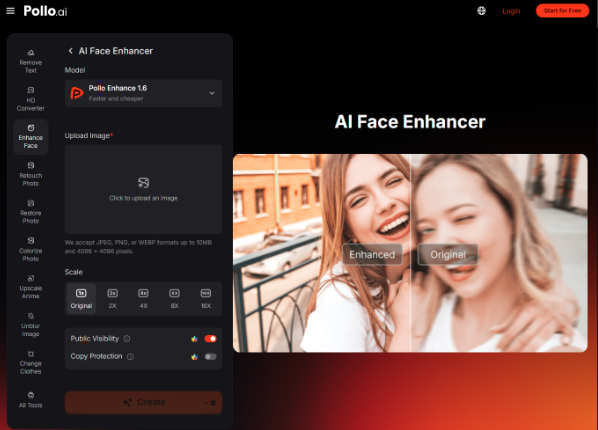
Also check whether the subject is in focus. Unpixelation can soften blocky edges, but it will not reliably repair strong motion blur, a face hidden by an object, or details lost to extreme compression. If the main issue is facial softness rather than visible pixel blocks, a face enhancer AI may be more appropriate for that part of the cleanup. Keep any reconstructed facial details subtle, especially when editing a recognizable wrestler or another identifiable person. Use an image you own or have permission to share; editing it does not change its usage rights.
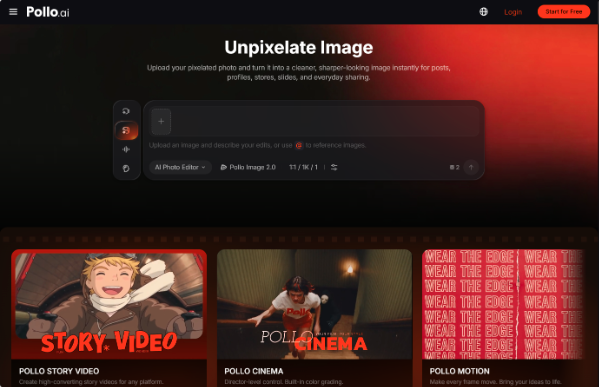
Pollo AI offers a practical image-editing workflow for improving low-quality pictures. Upload the image you want to clean up, then use the unpixelation workflow to smooth visible blocks, refine edges, and make important details easier to see. This can be useful for a cropped portrait, a small fan graphic, or an old photo that has become rough after repeated resizing.
Keep the adjustment restrained. The goal when you unpixelate an image is not to turn a low-resolution source into a completely different portrait. Aim for softer transitions between color blocks, clearer contours around the face and clothing, and enough texture to keep the image natural. If the output looks waxy, overly crisp, or noticeably different from the original, reduce the effect or return to a better source file.
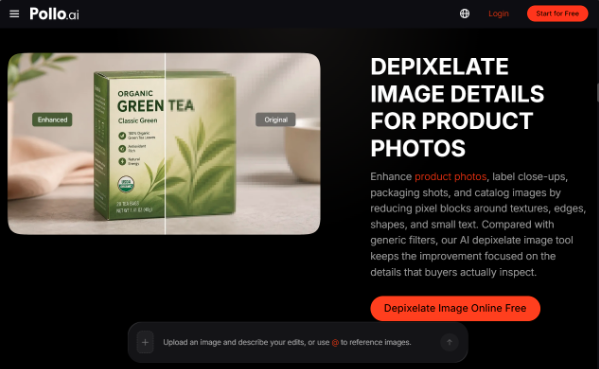
Review the result at the size people will actually see. A profile image is often displayed as a small circle, so check the eyes, outline of the head, hair, and any visible logo or lettering. A detail that looks acceptable when zoomed in may disappear in a small avatar. If you are preparing a banner or a fan-made event graphic instead, inspect the full layout and any text before sharing.
AI restoration can make a picture look cleaner, but it may also invent plausible texture where the original pixels are missing. That matters when the image is meant to document a live event, show a specific championship belt, or preserve a historic wrestling moment. Compare the enhanced version with the original and avoid presenting reconstructed details as proof of what happened.
Check three areas before publishing:
Faces and recognizable features: ensure the result still resembles the original subject.
Text, logos, and gear: confirm lettering, sponsor marks, and colors have not changed.
Background and edges: look for halos, smears, or new objects around hair, ropes, and shoulders.
For a news-related image or historical archive, keep the untouched file and clearly distinguish a cleaned-up copy from the original.
The same image-quality issues can affect more than profile pictures. Creators may need clearer screenshots for presentations, sellers may want to improve product photos for online listings, and families may hope to make older pictures easier to view. In each case, improving an existing image can make it more suitable for its intended use.
Of course, not every visual project starts with an image that needs fixing. Users looking to give their devices a fresh look may explore AI generated wallpapers for phones, desktops, and personal setups. This offers a different way to personalize everyday visuals, beyond simply restoring existing pictures.
Whatever the task, start with the highest-quality file you can find and treat the AI result as an improved version, not a guaranteed recovery of every lost detail. A careful image unpixelation pass can make an image more presentable, but it should not replace a fact check or a rights check.
A blurry profile picture does not always need to be replaced. With a suitable source image and careful adjustments, you can reduce visible pixelation, improve facial clarity, and make an avatar look more presentable before sharing it online. Pollo AI gives users a practical way to unpixelate image files and improve everyday visuals without relying on aggressive sharpening. Start with a copy of your original picture, compare the results, and choose the version that looks clear while staying true to the subject.
If you enjoy PWInsider.com you can check out the AD-FREE PWInsider Elite section, which features exclusive audio updates, news, our critically acclaimed podcasts, interviews and more by clicking here!